UX case study · AI productivity
Role
UI/UX & Product Designer
Timeline
May 2026 – Present

Mobile-first AI planner
Project snapshot
Problem
Students manage assignments, exams, reminders, and focus sessions across too many disconnected tools.
Goal
Design an AI assistant that automates planning while keeping students confident and in control.
Process
Research insights, competitors, personas, user flow, wireframes, UI, and design principles.
Outcome
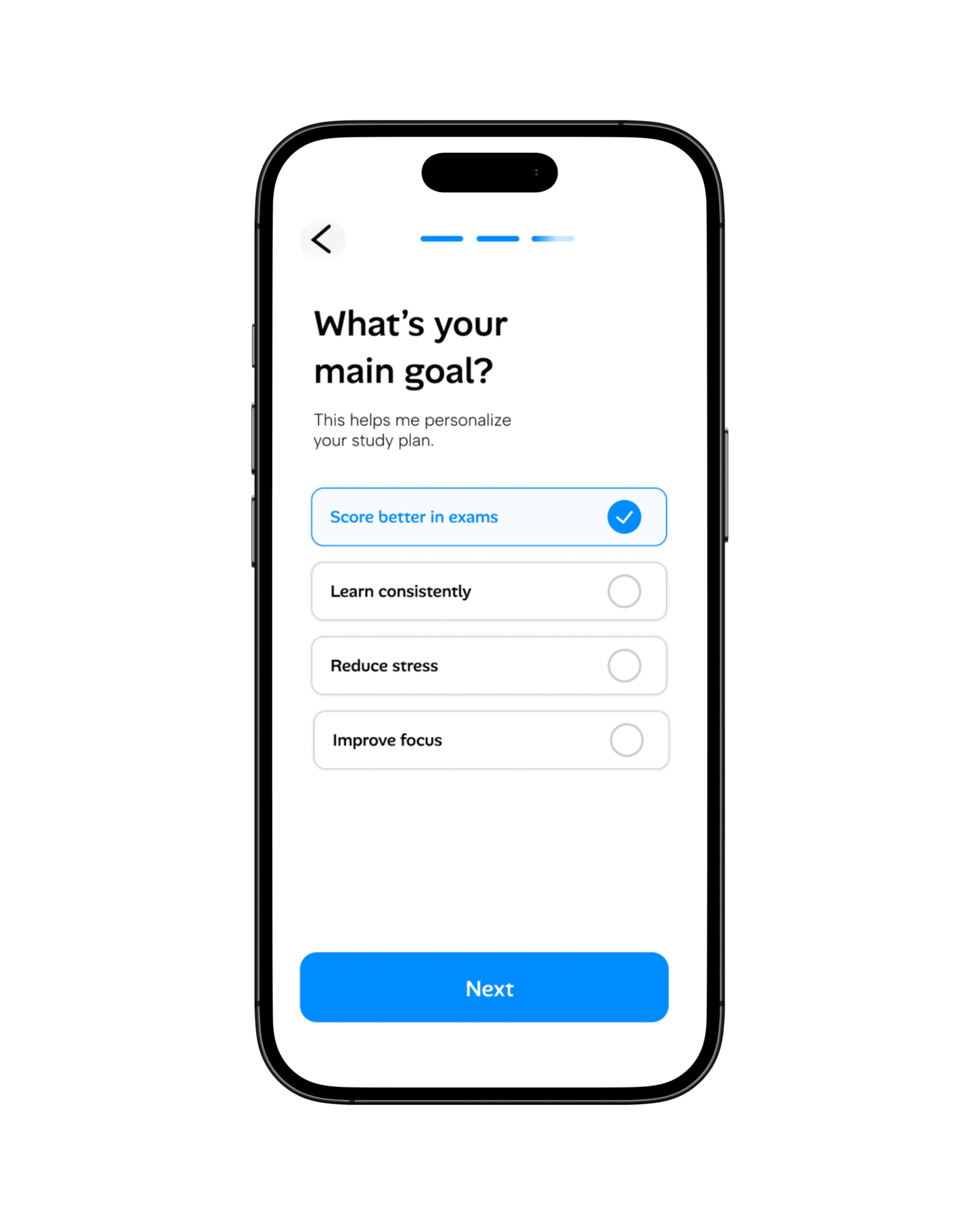
A mobile-first product concept with planning, AI chat, focus mode, and analytics in one workflow.




Research insights
Students forget deadlines
Design response: proactive reminders inside the planning flow.
Long sessions reduce focus
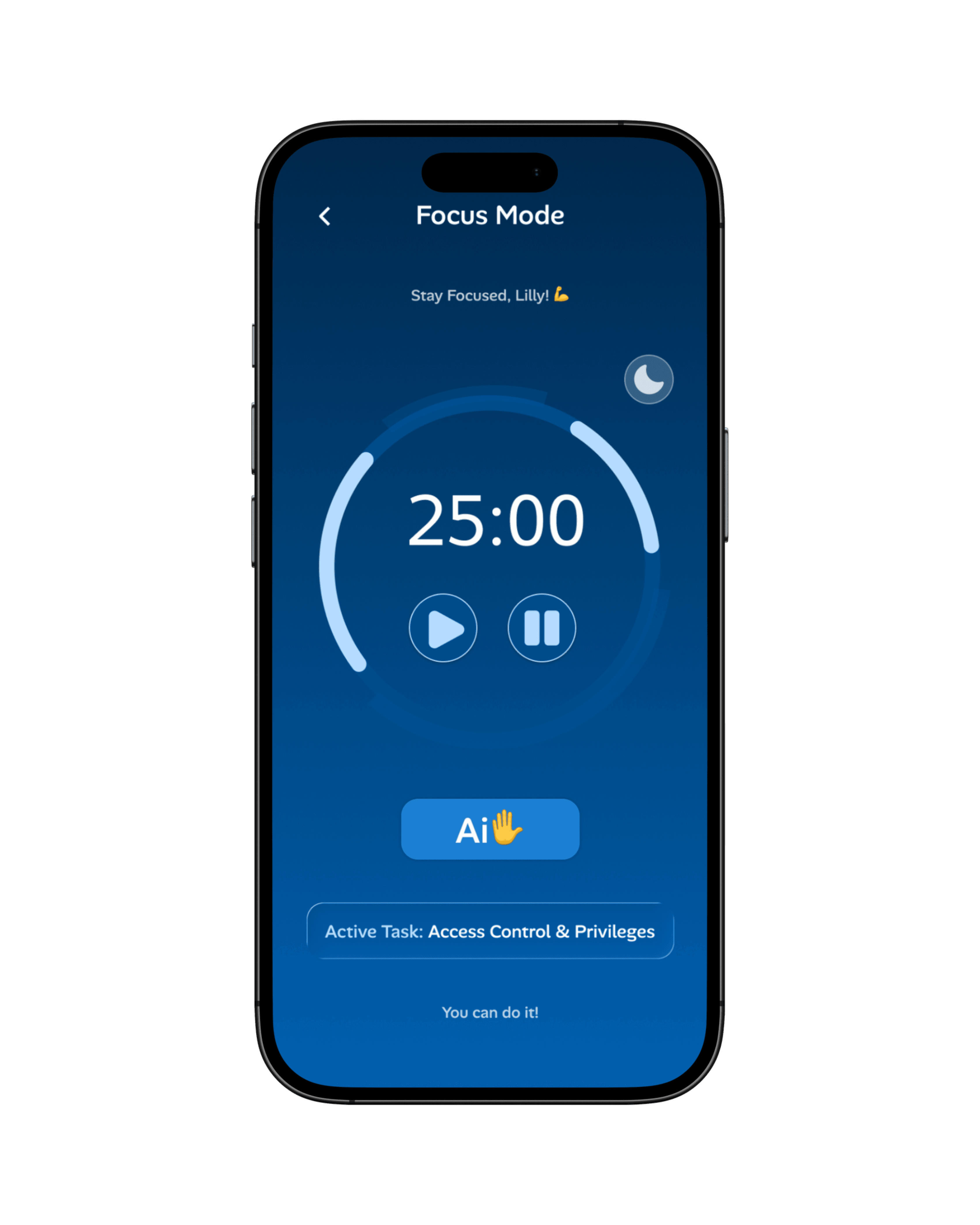
Design response: shorter adaptive focus sessions with scheduled breaks.
Manual planning feels stressful
Design response: AI-generated schedules that remain editable.
Students use many apps
Design response: a unified workflow for tasks, focus, AI help, and progress.

Competitor gap
Notion AI is flexible but not study-specific. Quizlet is strong for flashcards but limited for planning. Motion schedules well, but lacks personalized learning support.
Opportunity
Combine AI planning, study support, and progress analytics in one calmer product experience.
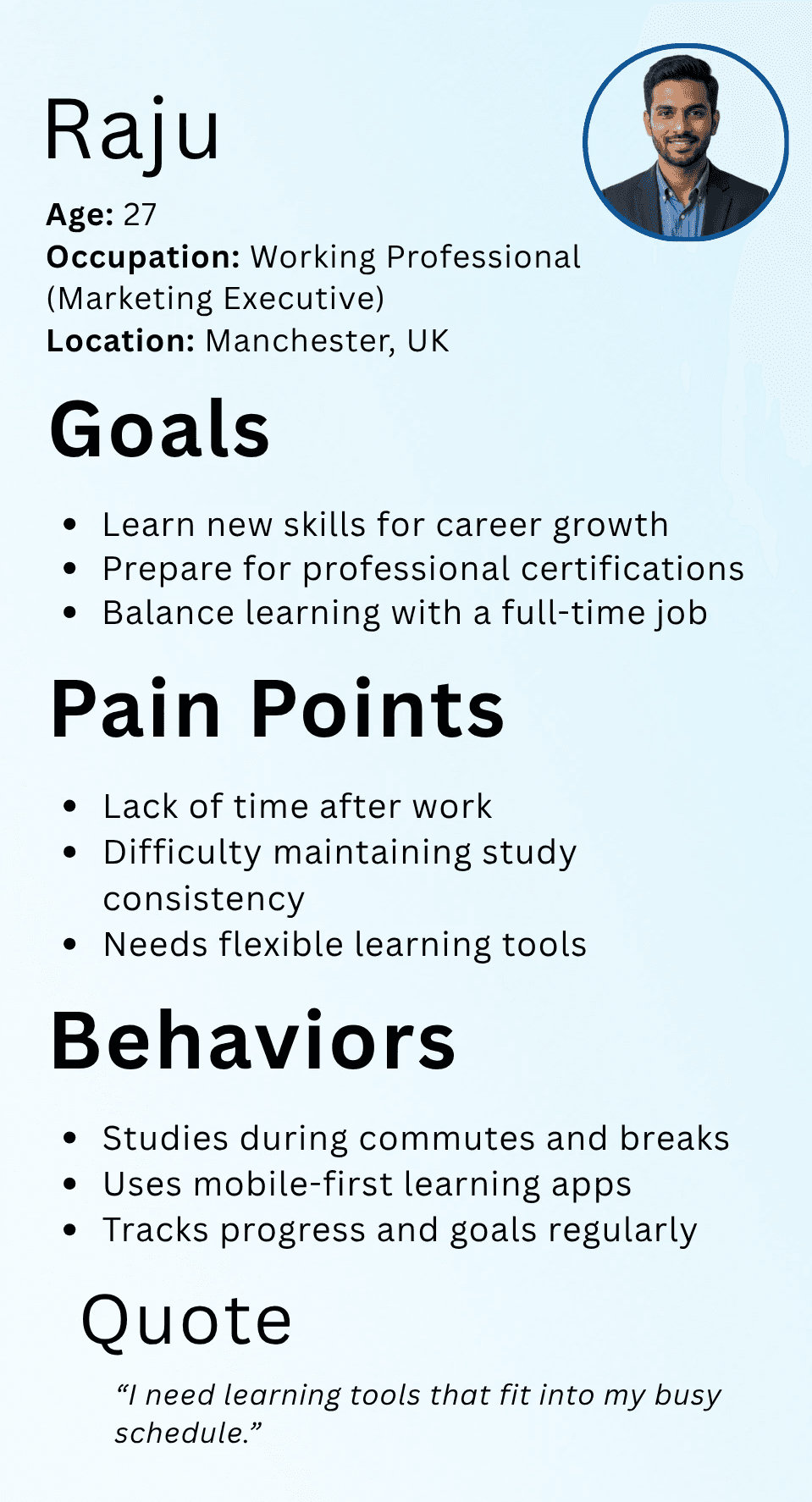
→ Wants faster, more organized study methods
→ Prefers mobile-first learning support
→ Needs flexible schedules and progress feedback
→ Uses flashcards, quizzes, reminders, and dashboards
“I want studying to feel organized and less stressful.”



Instead of asking students to manually connect tools, StudySmarter organizes the journey around one repeatable loop: add courses, set goals, follow the dashboard, focus, ask AI, and track progress.
01 Set courses and learning goals
02 Use dashboard recommendations
03 Focus, ask AI, and track progress
Dashboard
A centralized view of tasks, reminders, daily plans, and quick access.
AI Assistant
Answers questions, summarizes notes, and suggests study plans.
Planner
Daily, weekly, and monthly schedules with reminders and task priorities.
Focus Mode
Distraction-free Pomodoro sessions with customizable intervals.
Analytics
Study hours, tasks, learning progress, charts, and achievement tracking.


The AI assistant acts as a personalized study companion, helping users understand course content, plan study schedules, and answer academic questions. Smart prompt suggestions reduce friction and encourage meaningful AI interactions.
Design system
Color logic
Primary action and focus states
High contrast titles and labels
Typography
Bold headings create momentum, while compact body text keeps long UX explanations easy to scan.
Principles
Clean interface, consistent blue accents, mobile-first hierarchy, and accessible reading contrast.

Why the design works
The final UX direction focuses on transparency, editability, progressive disclosure, and keeping advanced AI features available only when students need them.
AI design principles
Suggestions are clear, reviewable, editable, and integrated without overwhelming the learning experience.
Challenge → response
The challenge was balancing intelligent automation with user control. The response was to make recommendations editable and keep the interface simple through visual hierarchy and progressive disclosure.
Outcome
Through this project, I explored how thoughtful UX design and AI can work together to reduce cognitive load, simplify complex study workflows, and create a more personalized learning experience. It reflects my approach to designing products that are not only visually appealing but also grounded in real user needs, usability, and meaningful problem solving.